Data and Customer 360
How Appice captures events, unifies profiles, supports ELT, and activates data downstream.
Appice IntegrateCustomer Data Platform · ELT & Reverse ETL
Events, attributes, and SDK data
Appice starts with event collection. Development teams instrument events in the app or web experience, and those events become the behavioral foundation for analytics, segmentation, journey mapping, and campaign triggers.
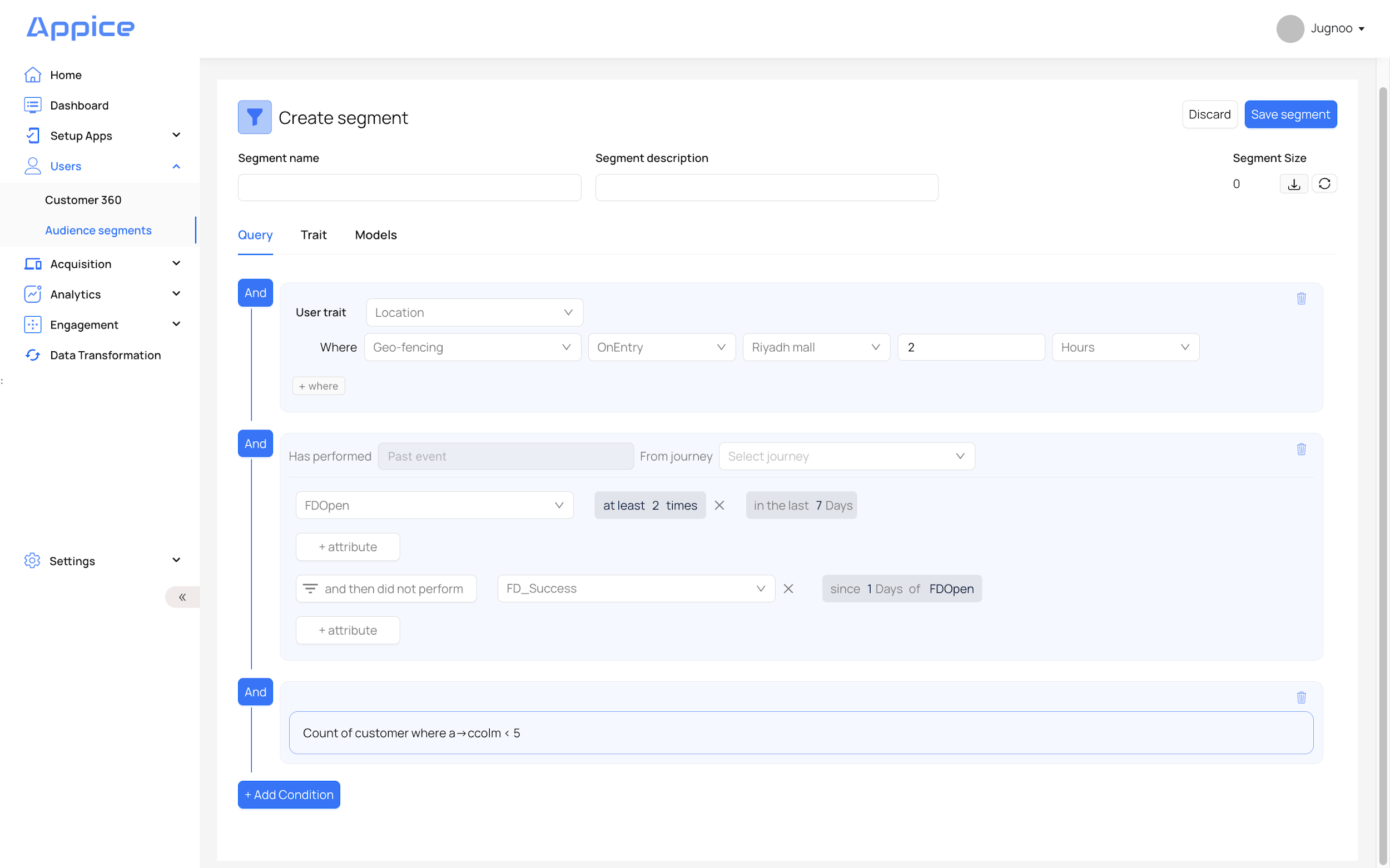
Each event can include attributes that add context such as channel source, screen, amount, status, or error state. The manual uses financial journey examples like fixed deposits to show how Appice models steps and drop-offs.
Customer 360
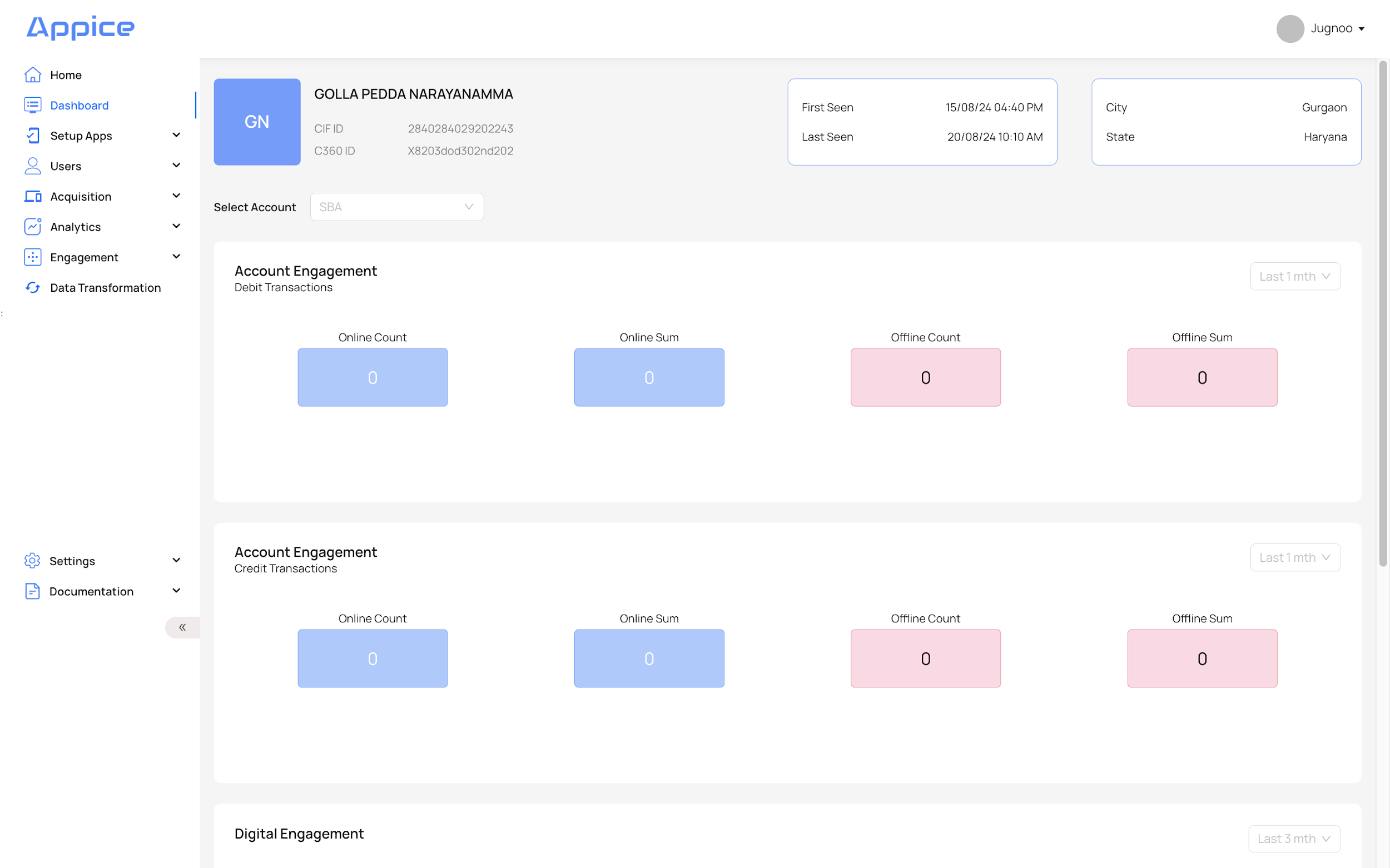
Customer 360 is the unified profile built from transactional, behavioral, and demographic data. The product manual also describes this as the single customer view or golden record. It acts as the source of truth for segmentation, personalization, and targeting.
- Behavioral events from SDKs
- User properties and app traits
- Transactional data from banking or enterprise systems
- Demographic and product-level data
ELT and data unification
The manual describes a broad ELT capability: extract data from source systems, load it into storage, and transform it into usable unified structures. Appice supports both streaming and batch ingestion patterns, as well as temporary staging, validation, and auditability.
Reverse ETL and data activation
Once customer data is unified, Appice can activate it into downstream systems. The manual refers to this as reverse ETL or data actions. It is the process of taking modeled data from the warehouse and pushing it into operational systems like marketing, advertising, or messaging platforms.
This turns customer data from a reporting asset into an action asset. A common use case is finding dormant or high-value users and activating that audience through push, web, or ad platforms.
Practical publishing note
For the live help center, keep this topic separate from campaign setup. Data articles should explain how profiles are built, while campaign articles should explain how those profiles are activated. That split makes the documentation much easier to scan.